


NEW VERSION
What's New in WEBCON 2024
Explore the Key Features & Enhancements
We are pleased to present the 2024 version of the WEBCON platform, the industry’s best way to digitalize and automate business processes. This year’s release targets the end user experience, and the majority of enhancements reflect this focus. You’ll see improvements to both the visual and user experience layers, but that doesn’t mean we weren’t able to add a variety of other extensive technological updates that enhance security, work continuity, and overall platform functionality.
Dive in and explore the key changes in the WEBCON 2024 version!
Technological, Security, and Performance Improvements
We place great importance on the regular updating of components used by our platform, ensuring that the technologies, libraries, and tools employed continuously guarantee reliability and stability. The approach of embracing updates also means realizing the benefits of WEBCON’s continuous improvement efforts. It was a top priority for us during the development of the new version.
One of the significant changes in WEBCON brought by 2024 is the migration of the SOLR search platform from version 8 to 9. Besides security improvements, this upgrade has also brought other benefits, such as improving SOLR indexing performance and displaying global search results. The second important update is Migration to .NET 8.0., which leverages the latest standards and libraries, and is continuously checked for compliance with current security standards. This update has also brought significant performance benefits. For example, the time required to transition between process steps has been reduced by 25%.

A New Standard for UX and UI

Enhanced UX/UI
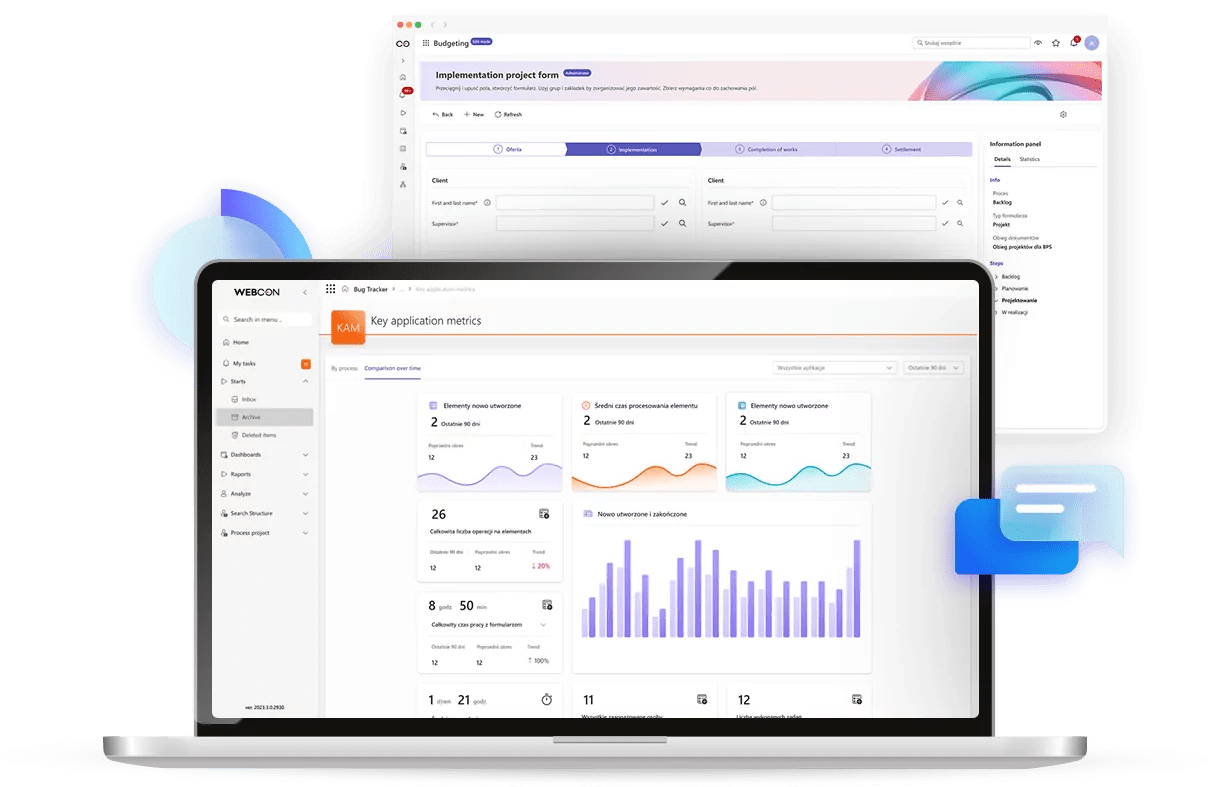
It’s not just about looking nice; it’s about user adoption and satisfaction. It matters. We focused on a modern look, enhanced readability, and making it easier to assimilate information quickly. The new design will be available starting from the second release of the 2024 version.
Best practices and most recent trends
We applied several guiding principles to the 2024 user interface, such as Glassmorphism – e.g., adding multidimensionality, transparency, vibrant colors, and borders to elements, Material design – e.g., larger elements and fonts, more space between elements and Nielsen’s 10 heuristics – e.g., contextual grouping of related elements.
WEBCON ’ new UI is based on Microsoft’s Fluent 2 design; the significant number of WEBCON customers who also use Microsoft 365 should find the consistency something to appreciate. We also structured the new UI around a modular architecture that promotes the consistent and frequent reuse of design elements throughout the system.

New Mobile Possibilities

One of the main announcements for the 2024 version was the expansion of mobile application functionality. Many of these enhancements debuted early during release updates to the 2023 version of WEBCON .
The mobile application has undergone a series of aesthetic and ergonomic enhancements, including a highly requested dark mode that is beneficial for working in dimly lit environments, PUSH Notifications, Operation Authorization (2FA), PIN and Biometrics, QR Code Support, Recording Voice Notes and Cropping Photos, and Geolocation.
And That's Not All
Discover other new features and enhancements for business application Users, Creators, and Administrators.

Widgets
A widget is a new type of form field that presents contextual data in an appealing, graphical way. It can be used for quick analysis and for preparing various types of reports and presentations.

More Flexibility in Form Design
Users will have more options for creating individual application forms without losing the benefit of maintaining overall consistency across multiple applications.

WCAG 2.2
To enhance the digital accessibility of the portal, we optimized many key elements including structure, content presentation, and interface. Additionally, we have facilitated navigation using the keyboard and other interaction tools.

ToDo List
New functionality streamlines communication during application delivery. The ability to create task lists in WEBCON Designer Studio fosters efficient collaboration among power users/administrators.

Import in DevOps Model Using Public API
Using a registered API application and its assigned permissions, along with the new console application, parameters for import can be easily defined, and application export files can be imported/deployed automatically.

Data Source Reports in Dashboards
A new method of defining data sources (models) for dashboards, which can be utilized by independent reports and objects with aggregated fields, accelerates report delivery and encourages the organization of reports into dashboards.
 WEBCON 2024 Changelog herunterladen